
Profile
Check your activity, manage your sessions, and discover your achievements
The Profile screen brings together your public information inside Calisteniapp and gives you quick access to your activity, your custom sessions, and your achievements.
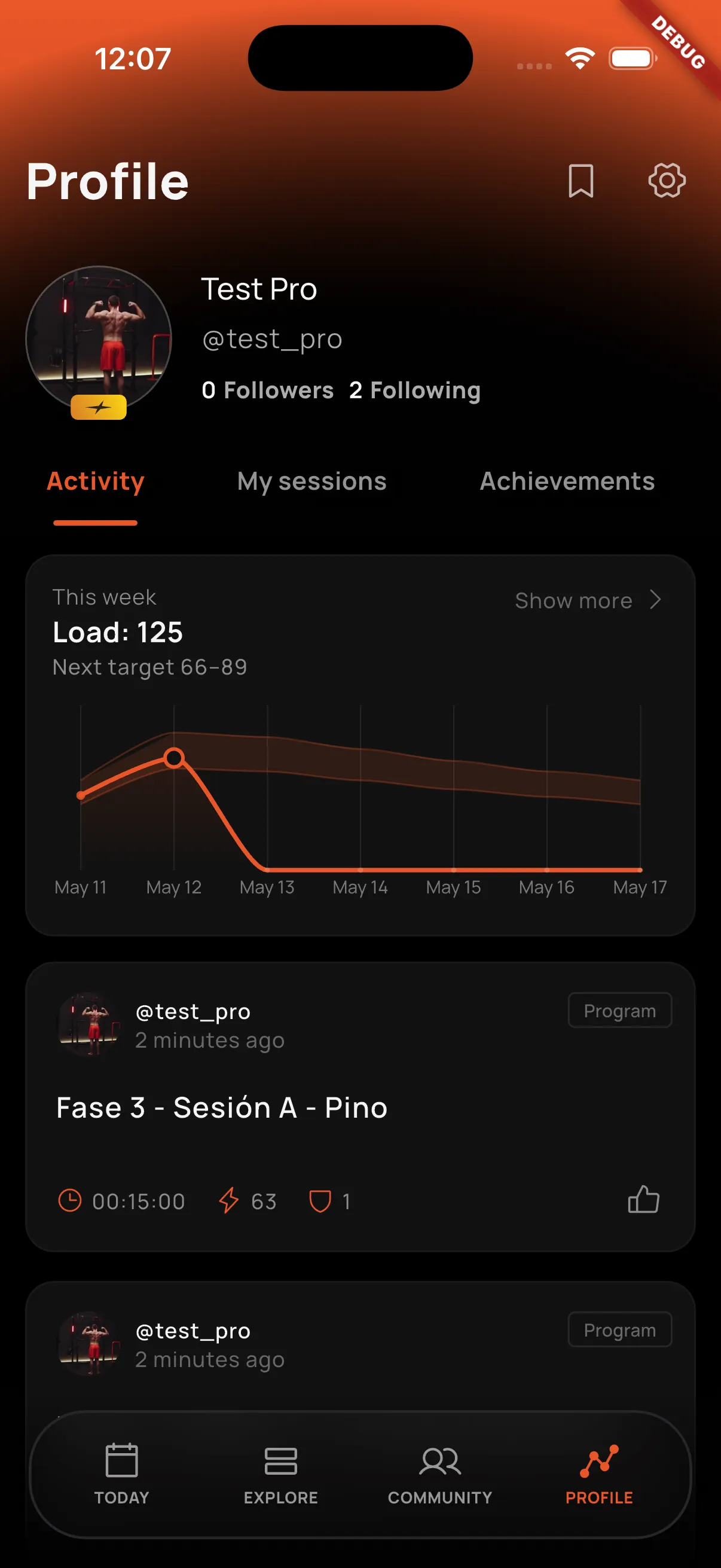
At the top you will see your profile header, where you can check whether you are a Pro user, the name you chose to display, your username, and the number of followers and accounts you follow. From the header you can also access your bookmarks and settings.
Activity
The Activity tab shows a summary of your recent training and your public activity inside the app.
Your profile includes a chart to track your training load day by day. This index combines signals such as intensity, duration, number of sessions, and perceived effort to help you understand whether you are pushing enough, easing off, or making a jump that may be too abrupt. It includes a 15% safety range to guide progressive overload: increasing the stimulus without letting the intensity spike from one day to the next. Learn more on the Statistics page.
Below that, you will find the activity list, where posts created from your workouts appear whenever your privacy settings allow them to be public.
My Sessions
In the My Sessions tab, you can manage your custom sessions.
From here you can create new sessions tailored to you and check the list of all the custom sessions you have already saved so you can train whenever you want.
Achievements
The Achievements tab brings together your progress inside Calisteniapp.
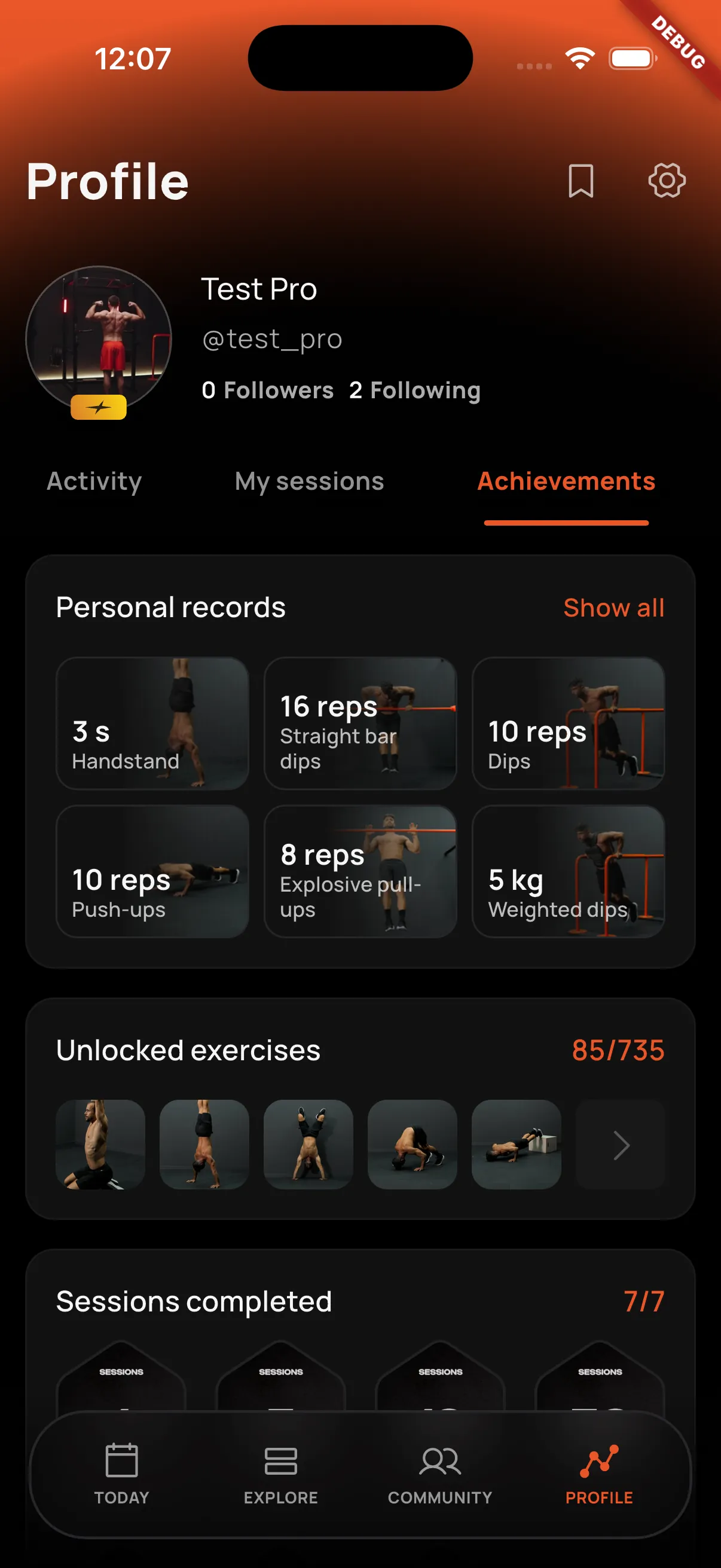
The first block shows your most recent personal records, with the last 6 records you have achieved in your workouts. Learn more on the Personal Records page.
Here you can see the exercises you have unlocked and the different achievements you have earned based on completed sessions, finished programs, EVO routines, and other milestones inside the app.