
Personal Records
Check your best marks and follow your progress exercise by exercise
The Personal Records screen brings together the best marks you have achieved in selected exercises.
You can access it from Profile, in the Achievements tab, by tapping the personal records block.
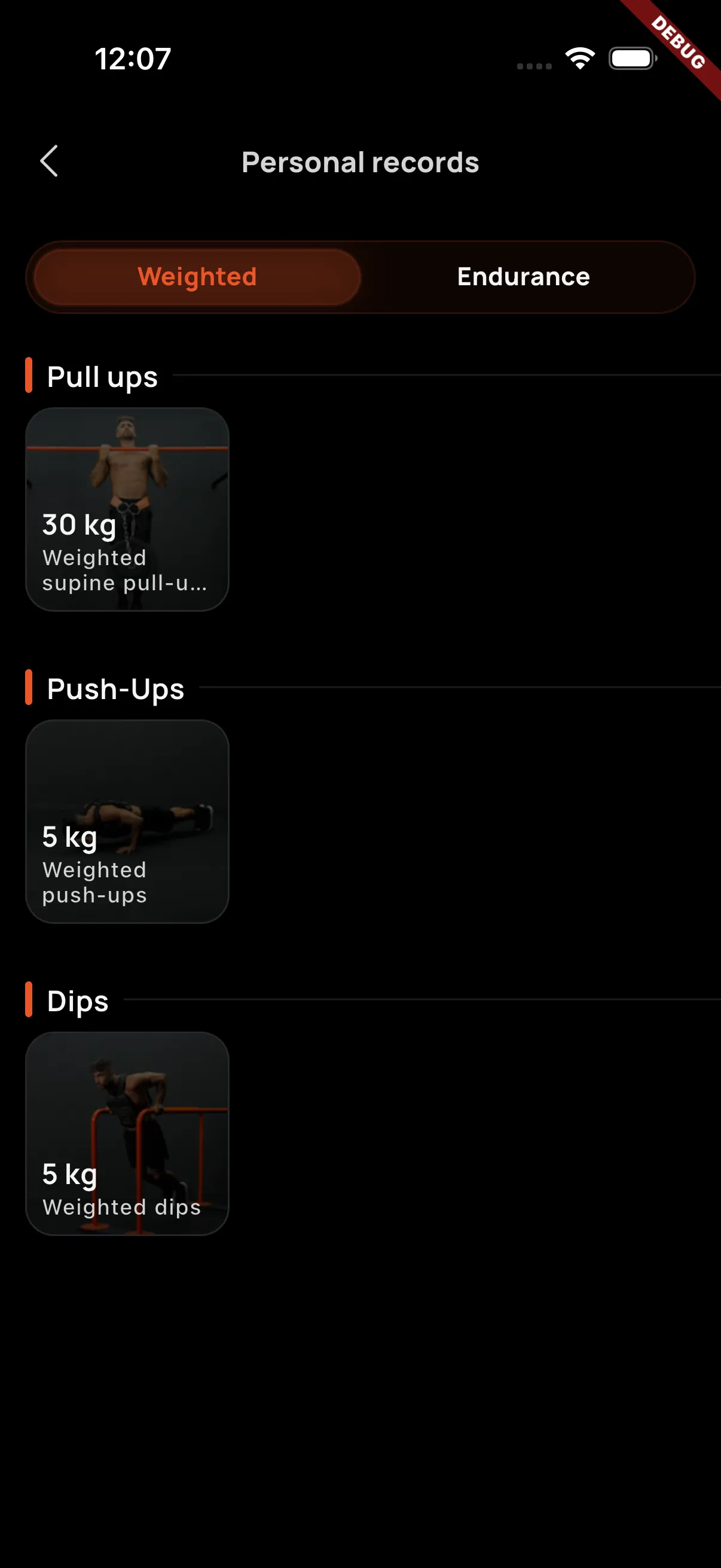
Record categories
Personal records are organized into two main categories:
- Weighted: marks based on the additional weight used in specific exercises, such as weighted pull-ups, weighted push-ups, or weighted dips.
- Endurance: marks based on reps or seconds in isometric or static exercises.
Each category includes a selection of exercises where you can achieve new records. For example, in Weighted, you may register a new best mark of 35 kg in weighted pull-ups. In Endurance, the record may be your highest number of reps or your best hold time in a static exercise.
Latest personal records
In the Achievements tab of your profile, the first block shows the last 6 personal records you have achieved. This summary helps you quickly review your most recent progress without opening the full list.
Record detail
When you open a personal record, you will see the detail for that exercise and category. The screen shows a podium with your latest best marks for that exercise.
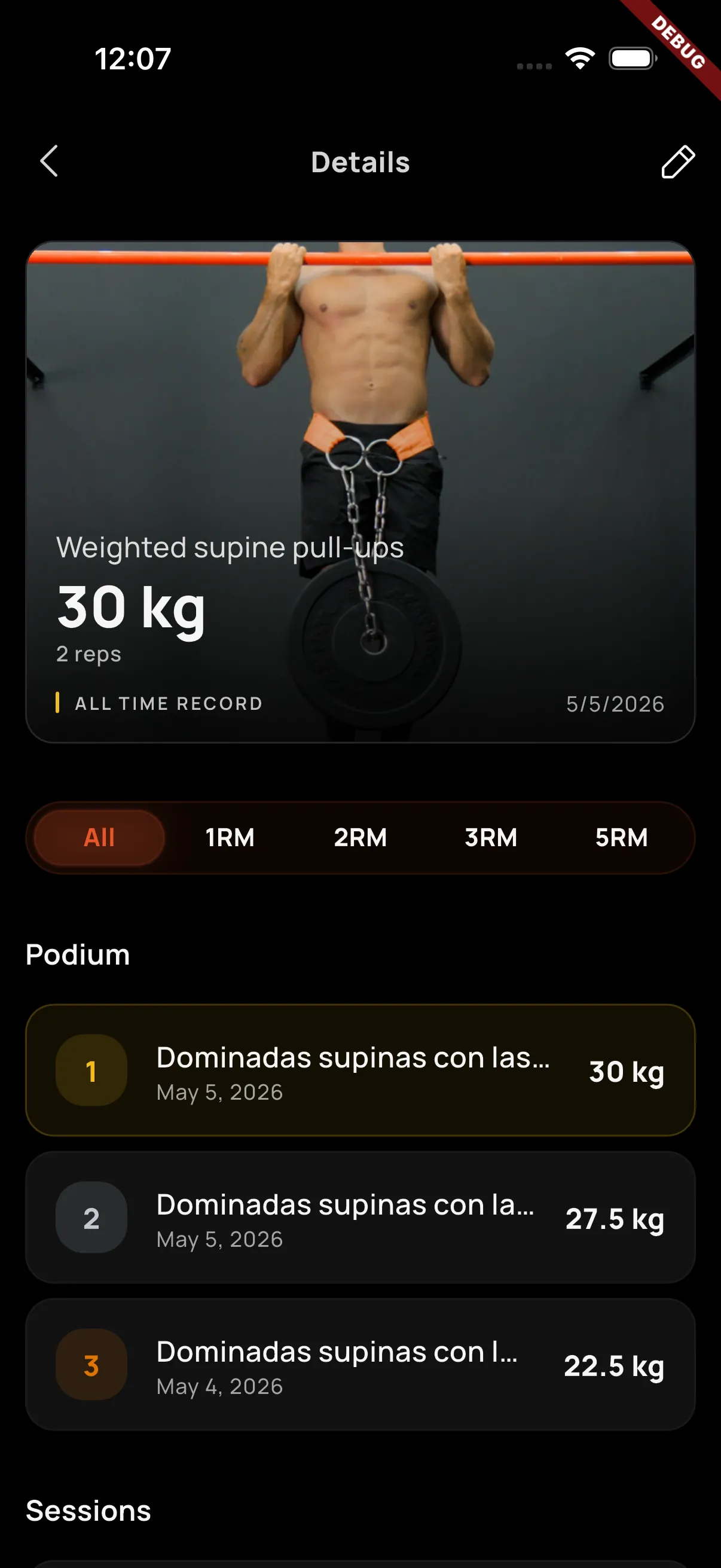
The first position is your current record: the latest valid mark you have achieved. Below it, you can review previous marks and the sessions where each record was unlocked.
Strength estimate for weighted records
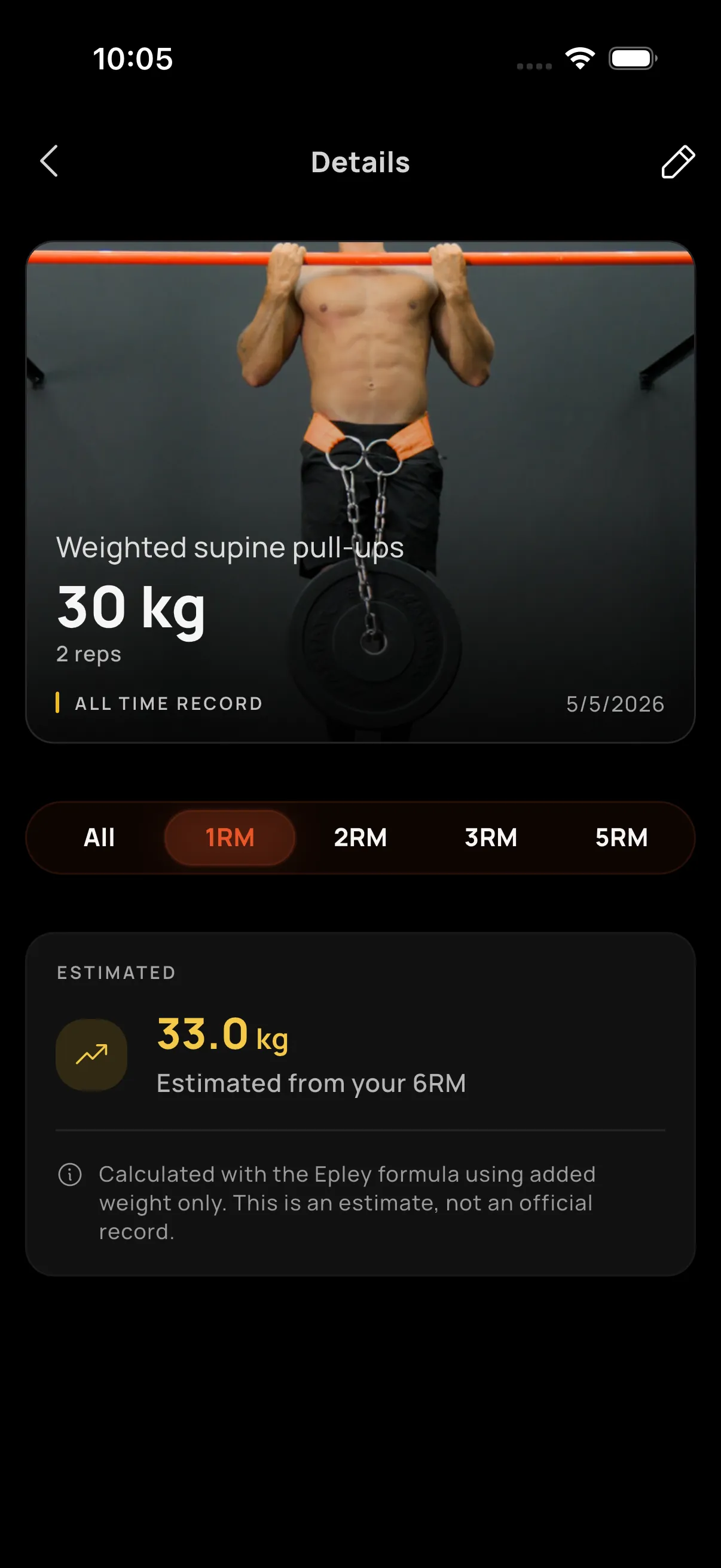
For weighted records, Calisteniapp estimates your strength marks based on your previous workouts. This estimate helps you track your progress even when you have not yet set a new personal record.
Edit or discard records
You can edit a personal record to discard marks you do not want to count. This is useful if a record was generated from a special session, a session logged by mistake, or a mark that does not represent your real progress.